
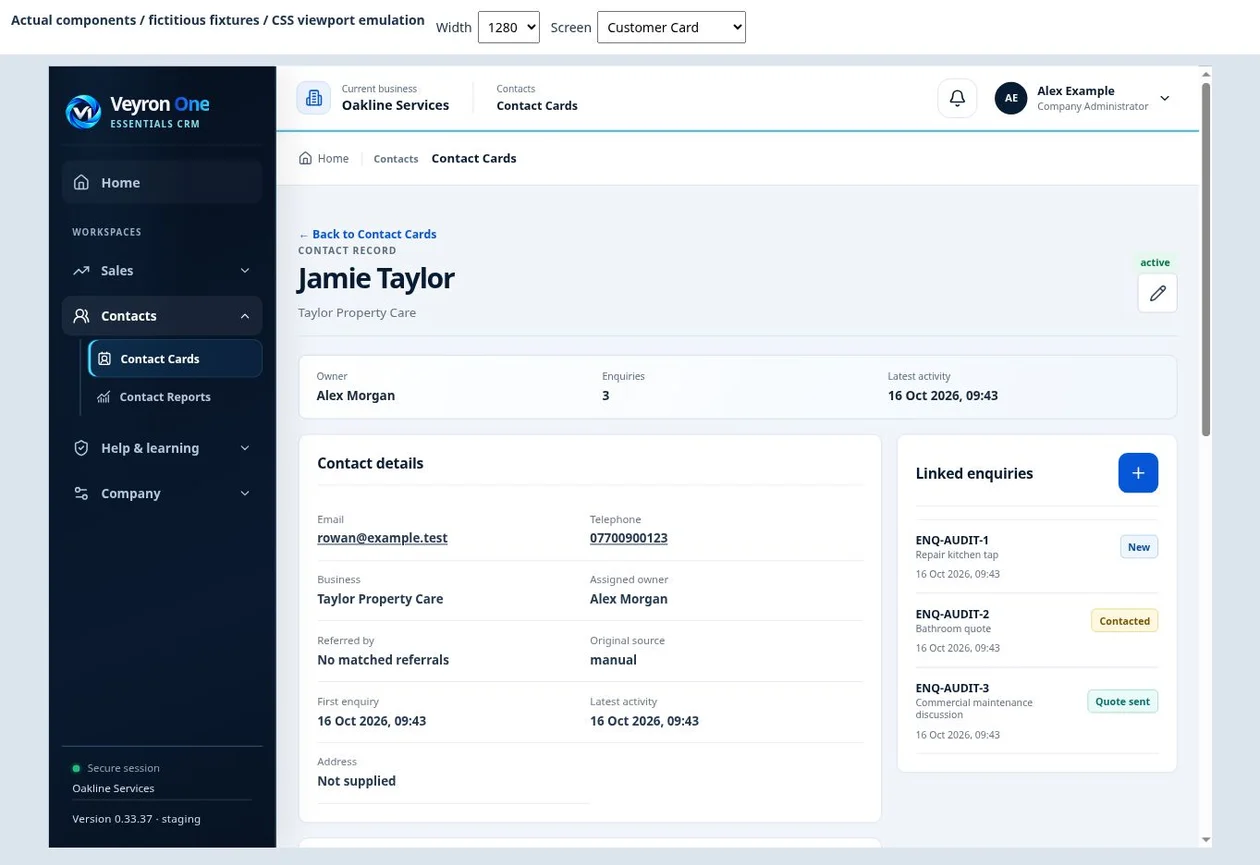
A Customer Card is the starting point.
A customer may contact you more than once, about different pieces of work. A Customer Card keeps their useful contact details together; enquiries describe what they are asking for. That separation helps you find the person without merging unrelated requests into one conversation.
More detail
Record the details you need for the next call, add relevant notes and return to related enquiries. Use permissions deliberately so colleagues see the records appropriate to their role.
Give the enquiry an owner and a direction.
Capture the request, select an owner and choose the stage that reflects the conversation. The pipeline makes it easier to see enquiries at different stages; the list gives another way to review the same work.
- Capture what the customer needs, with enough detail to respond.
- Assign the person responsible for the next action.
- Create a follow-up task with an action and a useful date.
- Record the outcome and update the enquiry after the conversation.
More detail
A task is a piece of work, not a pipeline stage. Completing a call does not necessarily mean the enquiry is won.
Example: a request for replacement lighting.
A customer asks about replacing lights at their premises. Add the enquiry to their Customer Card, record the request and assign someone to confirm the requirements. Set a task to call them tomorrow. After the call, update the enquiry and agree the next action rather than leaving it in an inbox.
More detail
Essentials covers the customer record, enquiry pipeline and sales follow-ups. Professional can extend the journey into quotes, jobs, appointments and invoice records. Compare the plans before choosing the tools you need.
Your questions, answered
Can I record another request from the same customer?
Yes. Customer details and enquiries are separate records, so a new request can stay associated with the relevant customer without replacing an earlier enquiry.
Does every enquiry need a quote?
No. Capture the request and choose the appropriate next step. Quote management is a Professional feature; an enquiry may also be resolved or closed without a quote.
Put your next step in One.
Essentials includes one licence. Professional tools require the relevant plan and permissions.