A GUIDED PRODUCT WALKTHROUGH
See your next step.
In One place.
Explore genuine CRM captures with fictional records. This guided walkthrough demonstrates the product; it does not change a live workspace.
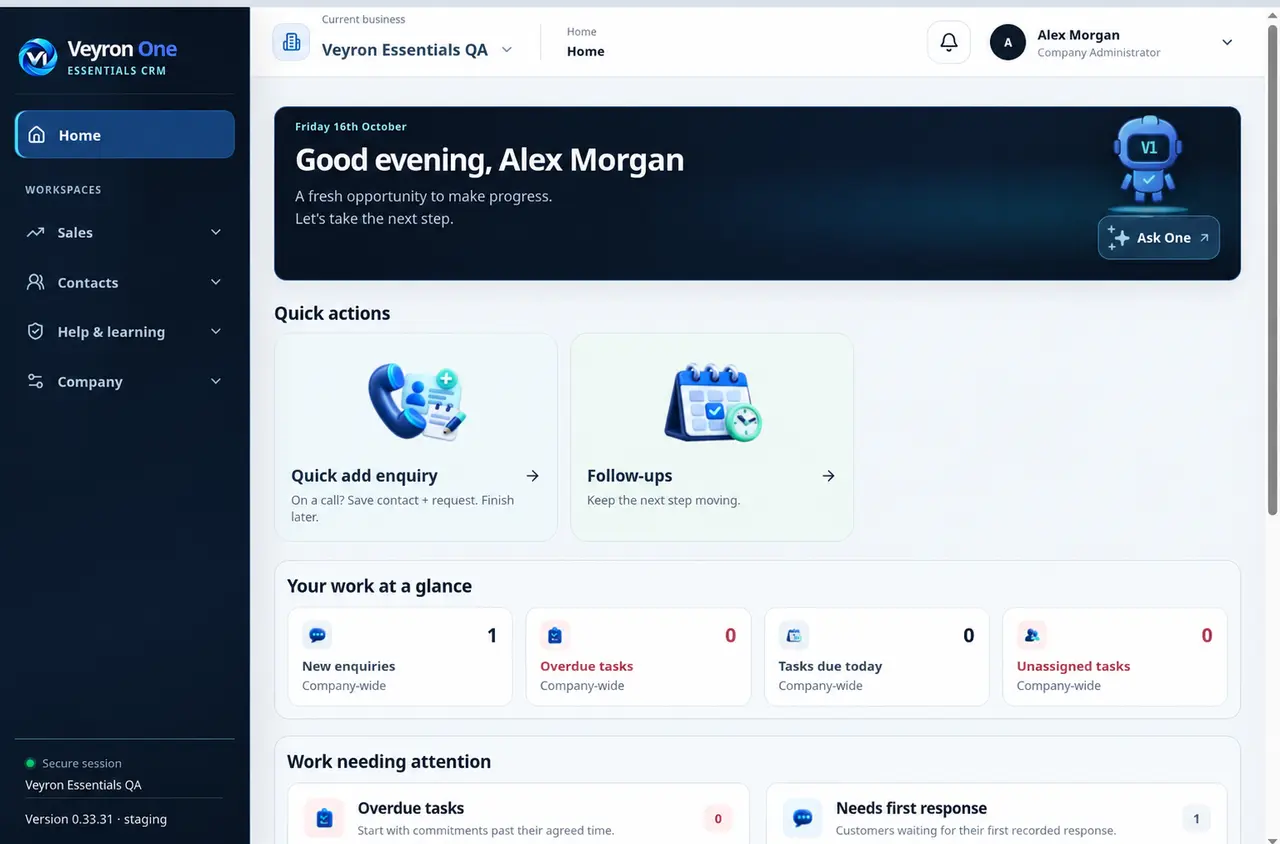
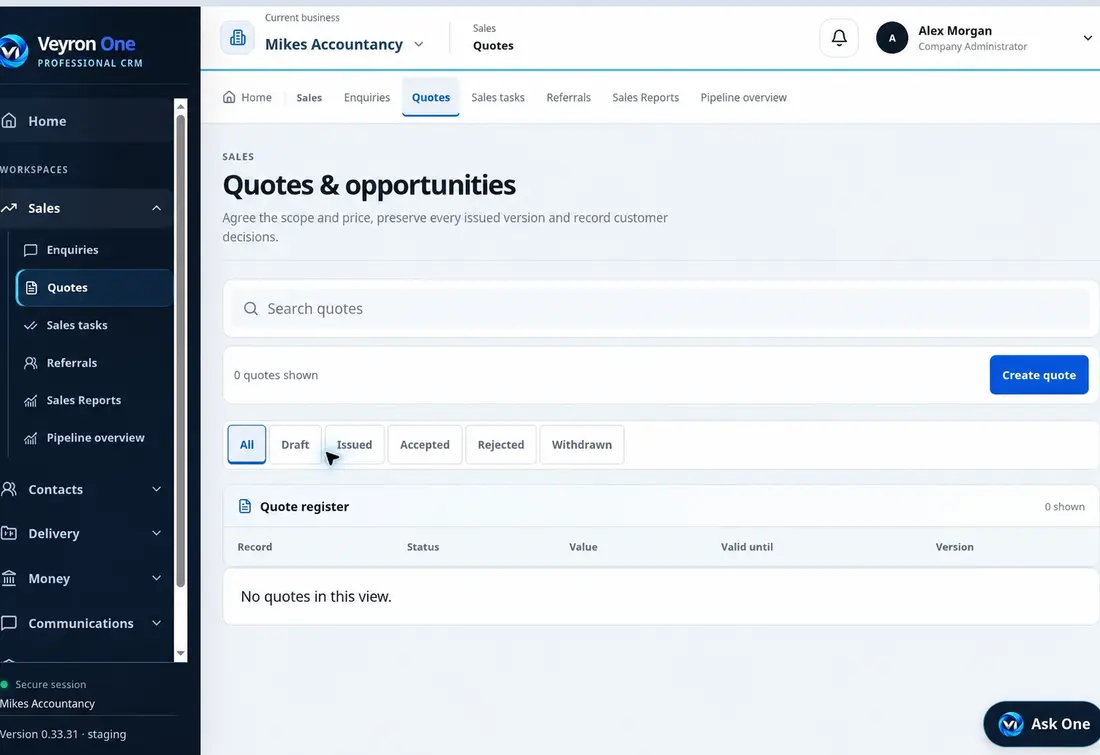
Actual CRM screens · Fictional demo records
GO FURTHER WITH PROFESSIONAL
From the first quote
to the final invoice.
Essentials gets your enquiries organised. Professional connects what happens next: quotes, jobs, appointments, invoices, customer portals, reporting and Ask One.
Turn a conversation into a clear proposal.
Prepare a quote, keep issued versions together and record your customer’s decision.
Coming soon Veyron ONEProfessional
Office lighting upgrade
Oak & Field Electrical
Scope agreed · Version 2
Keep the work moving after the yes.
Track jobs and projects, assign the next task and organise appointments around the customer.
Coming soonVeyron ONEProfessionalOffice lighting upgrade
Oak & Field Electrical
Site visit · Tuesday, 10:00
Keep the invoice and the customer connected.
See issued invoices, recorded payments and outstanding balances beside the work they relate to.
Coming soonVeyron ONEProfessionalOffice lighting upgrade
Oak & Field Electrical
Invoice £1,850 · Recorded payment £925
Give customers their own place to catch up.
Authorised customers can view relevant quotes, work, invoice records and selected shared documents.
Coming soonVeyron ONEProfessionalYour customer portal
Oak & Field Electrical
Your project, documents and next steps, together.
See the bigger picture.
Review sales won and lost, recorded income and unpaid invoices. Choose a date range and compare periods to see how your business is performing.
Coming soonVeyron ONEProfessionalSales and finances
Business overview
Recorded income · Sales outcomes · Outstanding balances
Ask a question. Find your next useful action.
Ask supported questions about permitted records, or preview a task or note before you confirm the change.
Coming soonVeyron ONEProfessionalAsk One
Oak & Field Electrical
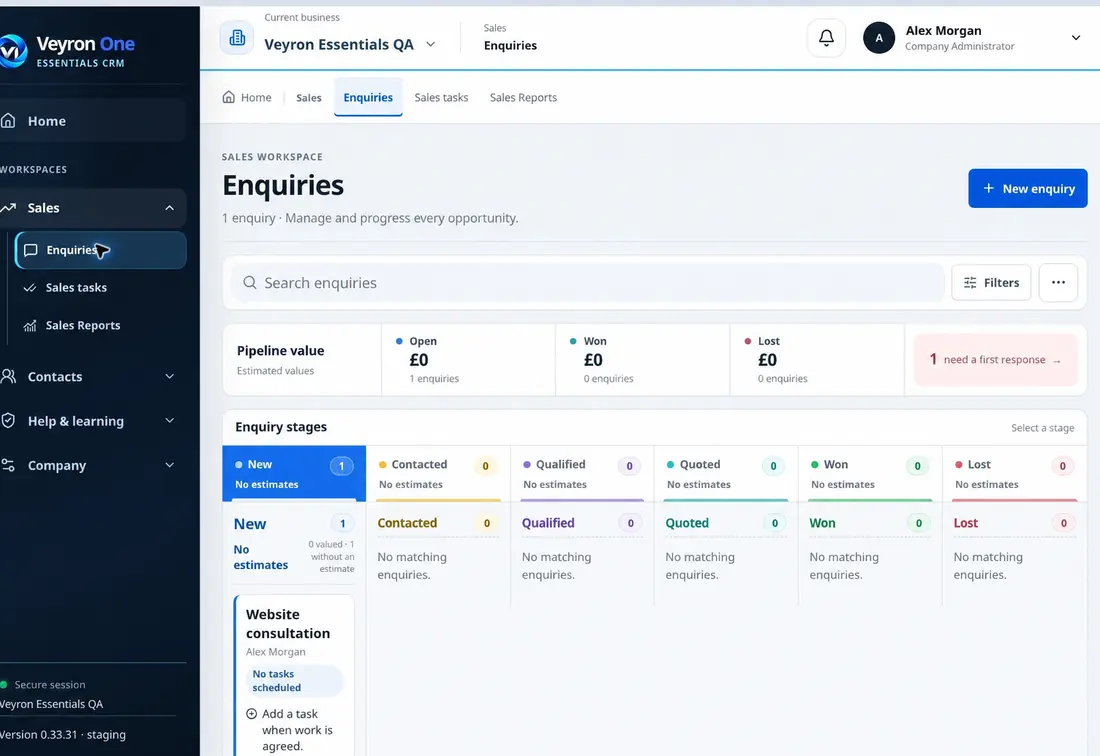
Turn a new request into your next piece of work.
Capture a name and request, assign an owner and progress through your company’s configured stages. Record outcomes without losing the conversation.
Compare plan featuresVEYRON ONE
Enquiries & pipeline
Turn a new request into your next piece of work.
- Connected to your customer journey
- Access controlled by your workspace permissions
- Included in every plan
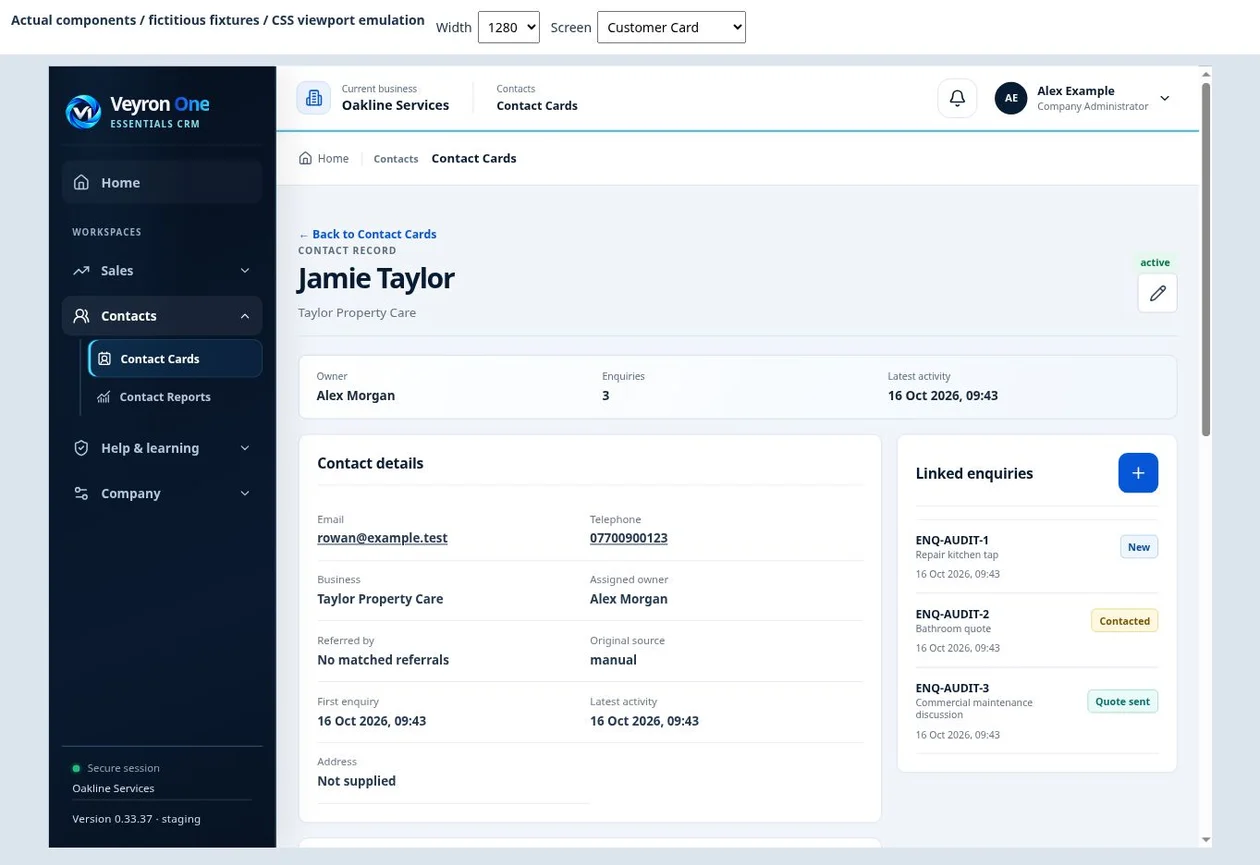
People, businesses and their requests together.
Keep contact details, notes and related enquiries in one place. Search and filter records; import Customer Cards and export data where your role permits.
Compare plan featuresVEYRON ONE
Customer Cards
People, businesses and their requests together.
- Connected to your customer journey
- Access controlled by your workspace permissions
- Included in every plan
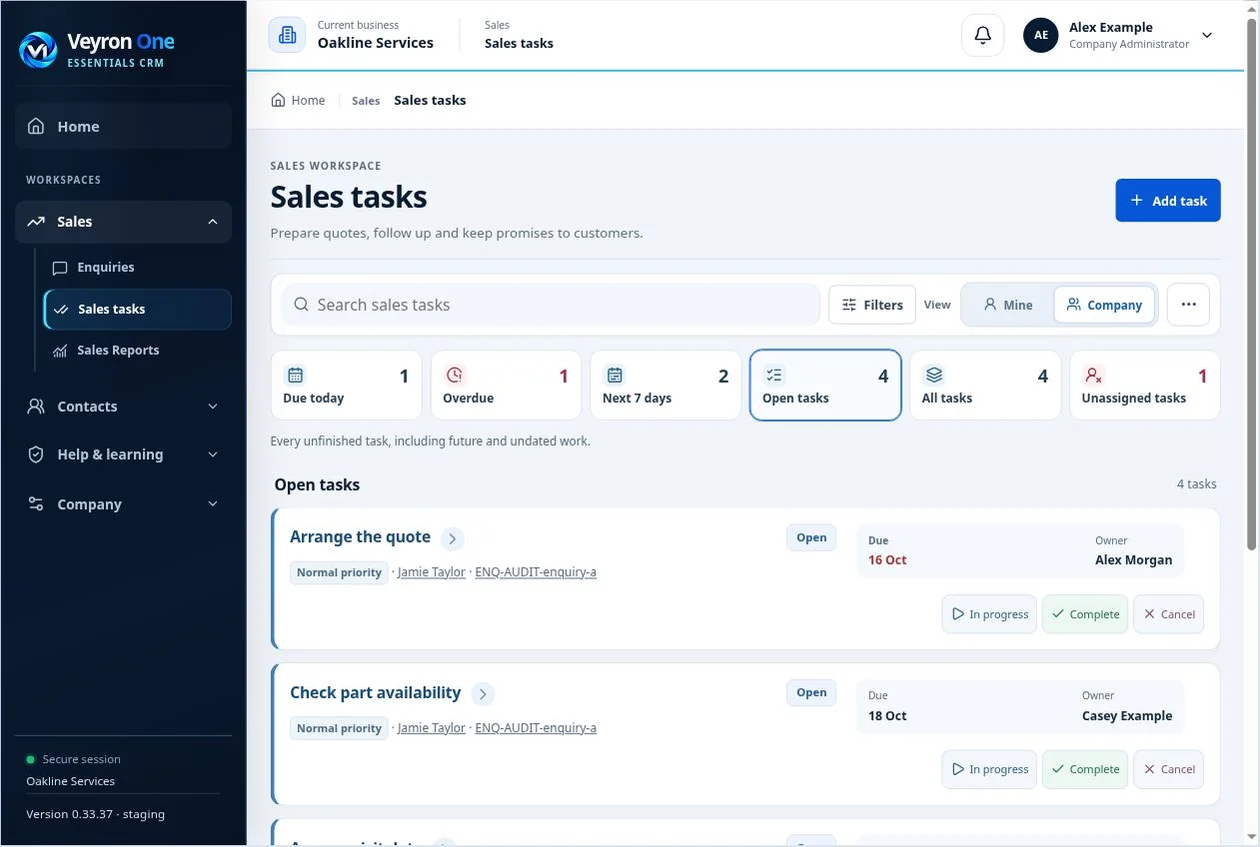
Know who needs to do what, and when.
Assign sales tasks, choose dates and track completion. Home highlights work needing attention, and in-app notifications link back to relevant records.
Compare plan featuresVEYRON ONE
Tasks & follow-ups
Know who needs to do what, and when.
- Connected to your customer journey
- Access controlled by your workspace permissions
- Included in every plan
See visits and scheduled work in one place.
Plan appointments with dates, times, locations and assignees. The application checks supported scheduling conflicts.
Compare plan featuresVEYRON ONE
Calendar & appointments
See visits and scheduled work in one place.
- Connected to your customer journey
- Access controlled by your workspace permissions
- Included in Professional and Team
Example customer journey · Features depend on your enabled modules and permissions.
No payment card required. No automatic charge.
ASK ONE · GUIDED EXAMPLE
From a question
to a checked next step.
In the CRM, One’s supported commands use your permitted records. Changes are previewed for confirmation.
This example uses a prepared response and fictional context. It is not live autonomous AI.
Try the handoff
Fictional customer: DEMO Meridian Services

Your next chapter.
Connected by ONE.
Explore the plans. New registrations are temporarily paused.
One trial licence. No payment card required. No automatic charge.